
Table of Contents
Health Dashboard
The Health Dashboard provides a real-time view of issues across your TetherBoxes, Cameras, and Devices. Access it at Admin → Health.
Tip: For scheduled email summaries of these same issues, configure the Health Report in your notification settings.
Summary Tab
The Summary tab shows fleet-wide health and other common issues at a glance:
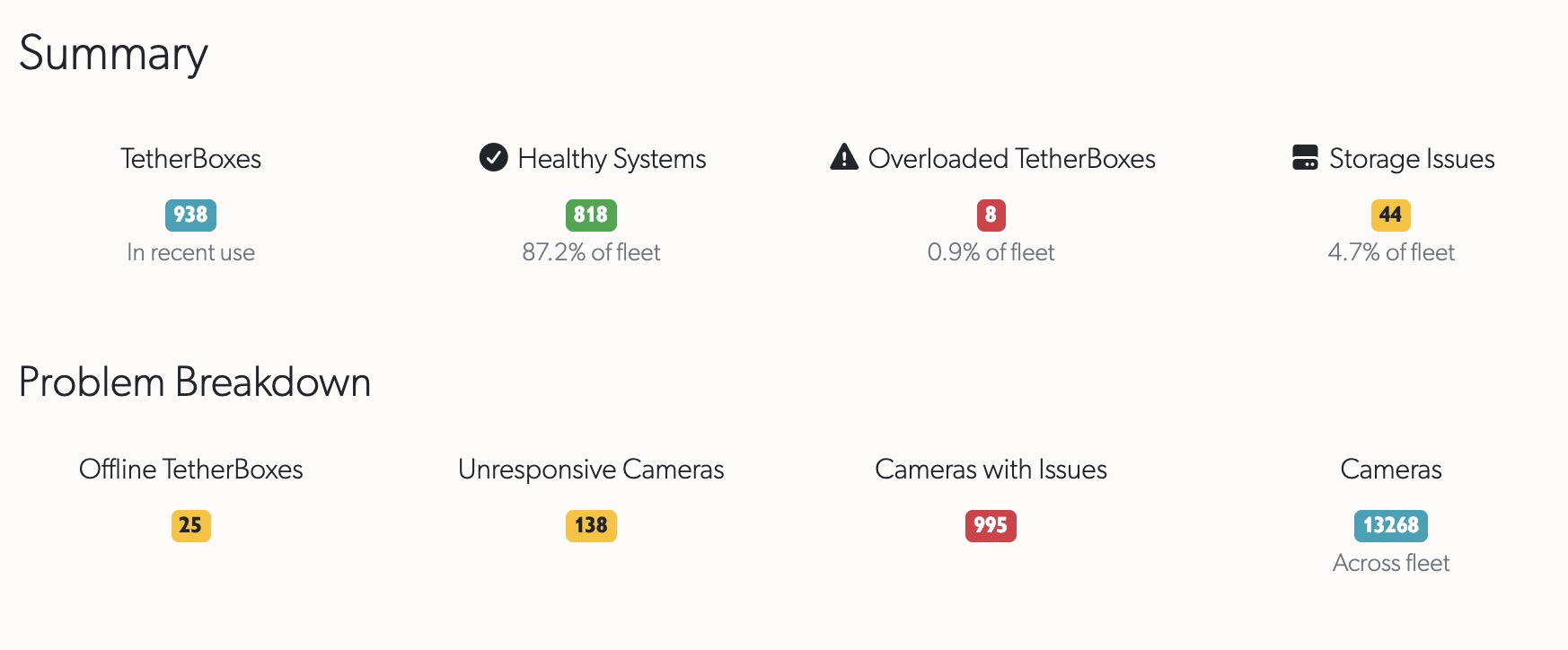
Fleet Health Overview:
- TetherBoxes - Total units in recent use
- Healthy Systems - Units operating normally (count and percentage)
- Overloaded TetherBoxes - Units with high CPU/memory load
- Storage Issues - Units with I/O bottlenecks
Problem Breakdown:
- Offline TetherBoxes - Units not communicating with servers
- Unresponsive Cameras - Cameras not recording as expected
- Cameras with Issues - Cameras reporting errors
- Total Cameras - All cameras across your fleet
TetherBoxes Tab
The TetherBoxes tab shows issue-specific tables. Tabs only appear when issues exist - if all systems are healthy, you'll see a confirmation message.
| Tab | Description |
|---|---|
| Overloaded | Units with CPU load exceeding capacity. Consider reducing cameras, lowering bitrates, or upgrading hardware. See TetherBox Recording Capacity. |
| Offline for >5 days | Units offline for an extended period - unusual and requires investigation. See TetherBox Went Offline. |
| Offline | Units currently offline. Check power, network, and Internet connection on site. |
| Unresponsive | Units online but not sending heartbeats - indicates hardware or software fault. Contact support. |
| Potential Drive Issues | Units with drives reporting possible problems. May continue functioning but worth monitoring. |
| Expired Subscriptions | Units with lapsed subscriptions. |
| Insufficient Storage | Units with 128GB or smaller SSDs - consider adding external storage. |
| Stress Test Failed | Units that failed stress testing during activation. |
Tip: Click any TetherBox name to view its full status page with detailed diagnostics.
Cameras Tab
The Cameras tab groups camera issues into three categories:
| Tab | Description |
|---|---|
| Cameras with Issues | Cameras reporting errors or problems - click through to investigate. |
| Cameras Possibly Unresponsive | Cameras that haven't recorded recently despite being configured to record. |
| Footage Gap Cameras | Cameras experiencing stream interruptions causing recording gaps. See Footage Gaps. |
Filtering
Use the sidebar filter to narrow results by timeline. This is useful when managing multiple organisations or regions - filter to see health data for specific areas of your portfolio.
Real-Time Updates
The Health Dashboard shows live data - refresh the page to see the latest status. Unlike the Health Report email which provides periodic snapshots, the dashboard always reflects current conditions.
Health Dashboard vs Health Report
| Feature | Health Dashboard | Health Report |
|---|---|---|
| Access | On-demand at /health | Scheduled email (daily/weekly/monthly) |
| Data | Real-time | Snapshot at send time |
| Interactivity | Click through to resources, sort tables, filter by timeline | Links to resources in email |
| Issue Detail | Full tables with all affected resources | Summary counts with top items |
| Use Case | Active troubleshooting, fleet overview | Regular monitoring, delegation to team |
Tip: Use both together - the Health Report catches issues you might miss, while the Dashboard lets you investigate and resolve them.
Related Articles
- Health Report - Scheduled email summaries of health issues
- TetherBox Troubleshooting - Diagnosing TetherBox problems
- TetherBox Recording Capacity - Storage and performance planning
- Footage Gaps - Understanding and resolving recording interruptions
Referenced in: